Introduction
Vertex is the visual workflow canvas inside MinionArts where creative teams chain AI image, video, audio, and merge nodes into reusable production pipelines. This is a plain English guide to what Vertex is, how it differs from single model AI tools, and how real teams use it to produce client deliverables. Note: Vertex is a MinionArts proprietary product and is not related to Google Vertex AI.
What Vertex Does
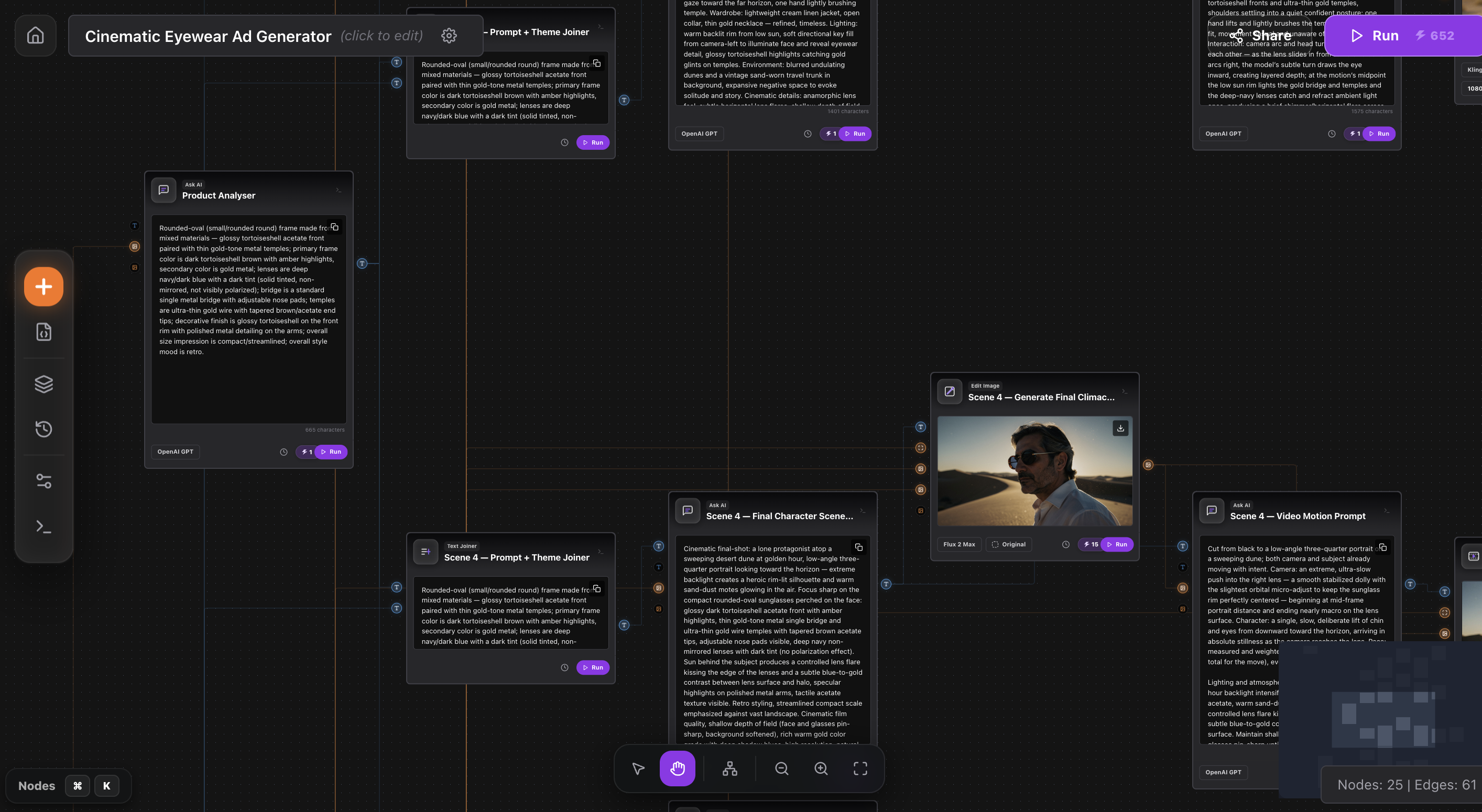
Vertex lets a user drag AI model nodes onto a canvas, connect them with edges, and define an interface form that non technical team members fill in to run the whole pipeline. One click turns a complex multi model sequence into a repeatable one input workflow.
How Vertex Is Different From ChatGPT or Midjourney
Single model tools generate one output from one prompt. Vertex orchestrates multiple models in sequence. The output of a Flux image node becomes the input of a Veo video node, which becomes the input of a lipsync node, which merges with an ElevenLabs voice track. This compounding is what lets small teams produce at agency scale.
The Three Building Blocks
Every Vertex workflow has three parts. Nodes are individual AI model calls or utilities. Edges are the connections that pass data between nodes. Interface Forms are the user facing input layer where a non technical operator enters the variables that drive the workflow.
Who Uses Vertex
Primary users are boutique agencies, AI native studios, in house brand creative teams, and solo creators producing at scale. The common thread is a need to run the same category of task repeatedly with variable inputs, which is exactly what workflow canvases optimize for.
Example: A UGC Ad Workflow in Vertex
A typical UGC ad workflow in Vertex has five nodes: an Interface Form collecting product image and script, a Flux Kontext node generating the creator keyframe, a Veo 3.1 Fast node animating the keyframe, an ElevenLabs node generating the voiceover, and a Video Audio Merge node assembling the final deliverable.
How Vertex Compares to Other Canvases
ComfyUI is open source and developer heavy. Flora and Weavy focus on image composition. Higgsfield is prompt first. Vertex is the only canvas purpose built for end to end media production pipelines that include voice, lipsync, and final merge, with an interface form layer for non technical operators.
Pricing Tiers
Vertex pricing runs at four tiers: 10 USD for 1,000 credits per month, 20 USD for 2,500 credits, 120 USD for 16,000 credits, and 300 USD for 42,000 credits. Yearly plans include a discount. Credits are consumed per node execution based on the underlying model cost.
FAQ
Is Vertex related to Google Vertex AI?
No. Vertex is a MinionArts proprietary product unrelated to Google Vertex AI. The names overlap but the products are entirely different.
Do I need to know how to code to use Vertex?
No. Vertex is a visual canvas. Workflow creation does require understanding of AI models and prompt structure but not programming.
Can I share my workflows with others?
Yes. Vertex workflows can be exported as JSON files and imported by other users. A public workflow gallery is on the MinionArts roadmap.