The Image Quality Gap Is Closing. The Workflow Gap Is Not.
Every week there is a new model announcement. A new best-in-class image generator. A new benchmark that beats the previous one. And yet, most marketing teams are still stitching together results from three different tools, downloading assets, re-uploading them, losing version history, and wondering why their output still looks inconsistent.
The model was never the problem. The workflow was.
But before you can build the workflow, you need to understand what the models actually do — and why Nano Banana is a bigger deal than most people realize.
What Is Nano Banana?
Nano Banana is Google's AI image generation and editing model, built on top of the Gemini model family. The original Nano Banana launched as Gemini 2.5 Flash Image. The current version, Nano Banana Pro, is built on Gemini 3 Pro.
What makes it different from every other image model on the market right now comes down to one thing: reasoning.
Most image generation models are pattern-matching machines. Feed them a prompt, they produce a visual that statistically resembles what was described. They are extremely good at this. But they do not understand your prompt — they match it.
Nano Banana is different because it is built on top of a model that actually understands context, cause-and-effect, spatial relationships, and real-world knowledge. That difference shows up in three specific ways that matter for production teams.
What Nano Banana Actually Does Better
1. Readable Text in Images
This has been the single biggest failure mode in AI image generation for three years. You generate a beautiful product shot, add a text overlay in your prompt, and the words are garbled nonsense. Not quite letters. Almost legible. Completely unusable.
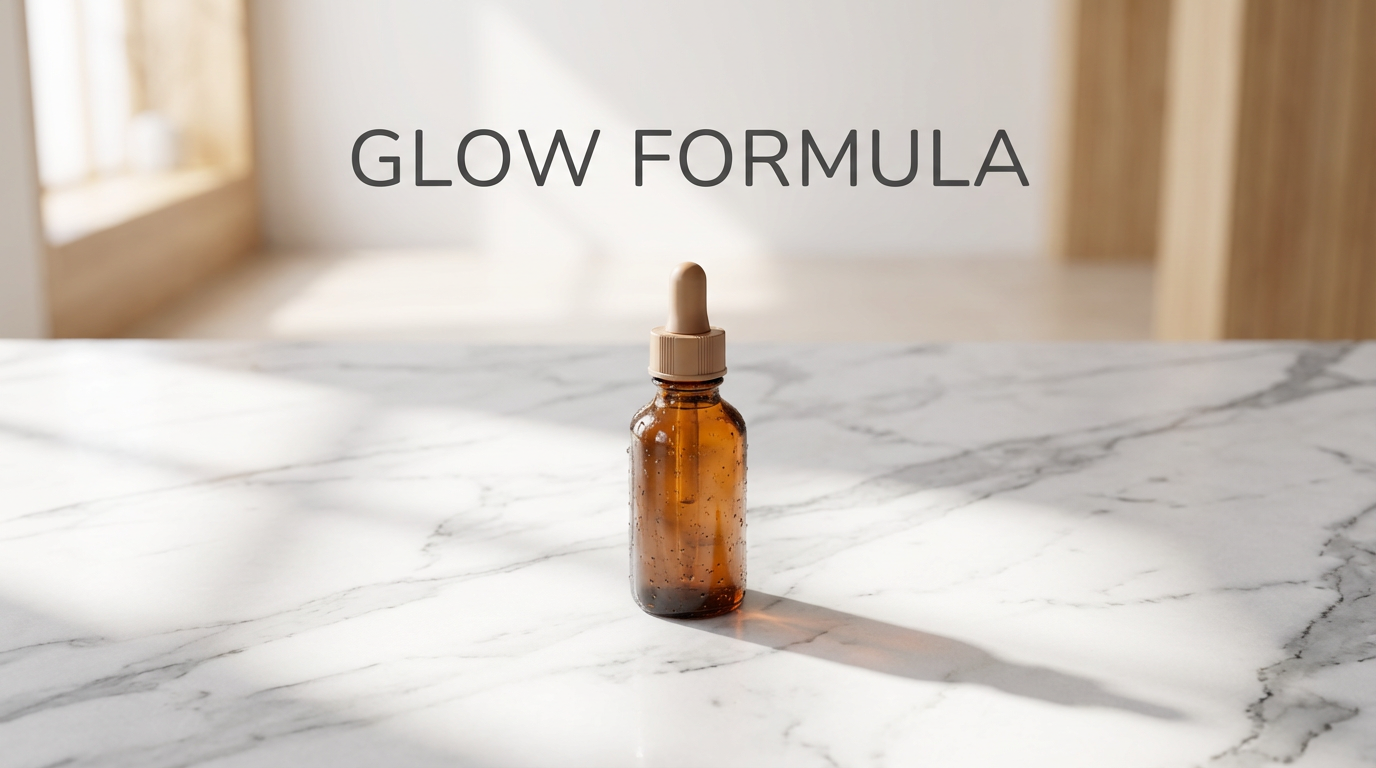
Nano Banana Pro solves this. It generates accurate, legible, multilingual text embedded directly in images. Labels, headlines, taglines, UI mockups, poster copy — it handles them correctly because the underlying Gemini model actually knows what words look like and what they mean.
For D2C brands producing ad creatives, this is not a minor improvement. It eliminates an entire post-production step.
2. Product Placement With Physical Accuracy
Shadows fall the right direction. Reflections match the surface. Lighting wraps around the product the way light actually wraps around objects. This is Nano Banana's reasoning capability showing up in the physics of the image.
Other models produce impressive-looking product shots that fall apart under scrutiny. Nano Banana produces images that hold up at 4K because the model is simulating real spatial relationships, not guessing at them.
3. Sequential Prompt Chaining
Through the API, Nano Banana maintains context, color grading, and visual style across sequential generation requests. This means you can build a campaign where image 1, image 3, and image 7 all share a consistent visual identity — without manually re-specifying every parameter on each call.
For a production team running multiple ad variations, this changes the math on what is achievable.
Nano Banana Pro vs The Original Nano Banana
The original Nano Banana (Gemini 2.5 Flash Image) was a significant jump in image editing capability. It handled conversational editing well — the kind of iterative refinement where you say 'make the background darker' or 'shift the model to the left' and it actually executes correctly.
Nano Banana Pro (Gemini 3 Pro Image) takes this further with:
Enhanced reasoning that produces more accurate visuals from complex or ambiguous prompts
Real-time information grounding — it can pull from current world knowledge when generating contextual visuals
Up to 4K resolution output
SynthID watermarking on all outputs for AI provenance transparency
Rolling deployment to Google Ads, Workspace, Slides, and Vertex AI for enterprise teams
Nano Banana vs Flux Kontext
The community comparison that keeps coming up is Nano Banana vs Flux Kontext. Both are strong image models with editing capability. The difference comes down to consistency.
Flux Kontext is excellent for single-image generation and style transfer. Nano Banana has an edge on character and scene consistency across a series of images — which matters significantly more for ad campaigns and brand content than it does for one-off creative work.
If you are producing a single hero shot, the two models are genuinely comparable. If you are producing a campaign with 6 scene variations that all need to feel like the same world, Nano Banana's sequential chaining capability becomes the deciding factor.
How to Access Nano Banana
Nano Banana is rolling out across Google's product ecosystem:
Gemini app — available to Google AI Pro and Ultra subscribers
Google AI Studio — via the Gemini API for developers
Google Ads — upgrading image generation for advertisers globally
Google Workspace — in Slides and Vids
Using Nano Banana Inside MinionArts Vertex
The most powerful way to use Nano Banana is not through the Gemini app. It is as a node inside a production workflow.
Inside MinionArts Vertex, Nano Banana becomes one step in a pipeline — not the whole pipeline. You feed it a product reference, specify lighting and scene parameters, generate your hero image, and then that image automatically flows into the next node: animation via Kling, voiceover via ElevenLabs, and delivery to your output destination.
That is how a team of three produces what used to take a full agency. Not by using Nano Banana better. By using it as part of a system.
What to Build First
If you are just starting with Nano Banana, here is the fastest path to useful output:
Product hero shot — upload a product reference image, specify your surface, lighting direction, and scene context. Nano Banana handles the rest.
Ad creative with text — write your headline and CTA directly into the prompt. Test the text accuracy on your first generation.
Campaign series — generate image 1, then chain with modified prompts for images 2 through 6. Observe how the model maintains visual consistency.
Bring it into Vertex — once you understand how Nano Banana responds to your prompts, build the workflow node and automate the rest.
The gap between teams who figure this out in 2026 and teams who figure it out in 2027 is not going to be one campaign. It is going to be an entire content library, a lower cost base, and a production speed that is genuinely hard to replicate.